
  • English
  • Italian
Home
PCube Srl
Engraving machines, high-resolution 3D printers and CNC machines.
  • Home
  • Technologies
    • Engraving Machines
      • Magic 1S
      • Magic 2S
      • Magic 5S
      • Magic S3
      • Magic S4
      • Magic S7
      • MPX-90s
    • Engraving and Milling Machines
      • Magic E3
      • Magic E4
      • Magic E7
      • IMP C1
    • Laser Engraving Machines
      • Magic L2
      • Magic L3
      • Magic L3 Prime
      • Magic JANUS
      • FMC 280-Q
      • GCC E200SM
      • SPIRIT PRO
    • Mini Milling Machines
      • Roland SRM-20
      • Roland MDX-50
    • Dot Peen Machines
      • MNSB-53
      • MNSB-155
      • MNSBTC-103
      • IMP D3000
    • Engraving Materials
    • Second hand machines
  • Applications
  • Services
    • Commissioning
    • Training
    • Technical Support
      • Advanced technical support
    • Magic Software Download
  • About
    • Why PCUBE
    • Blog
    • Referral Program
    • Contact
    • Financing & Payment Plans
      • Grenke Operating Lease
      • Pay Later with PayPal
  • Shop

Breadcrumb

  1. Home
Profile picture for user Marco Novello
Marco Novello
July 03, 2023
New MagicEngrave software

Status message

Summer Closure: August 10th – September 4th

  • facebook-f
  • twitter
  • envelope
  • print

New MagicEngrave software 

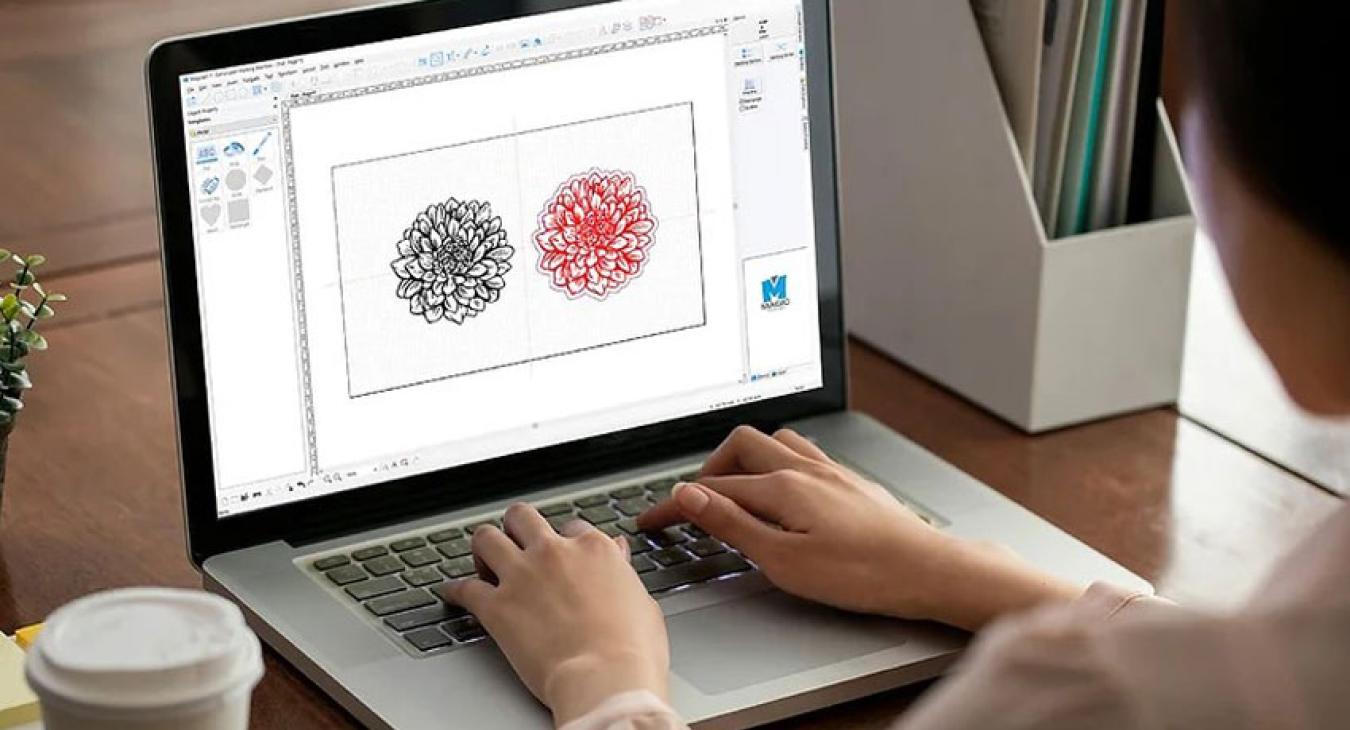
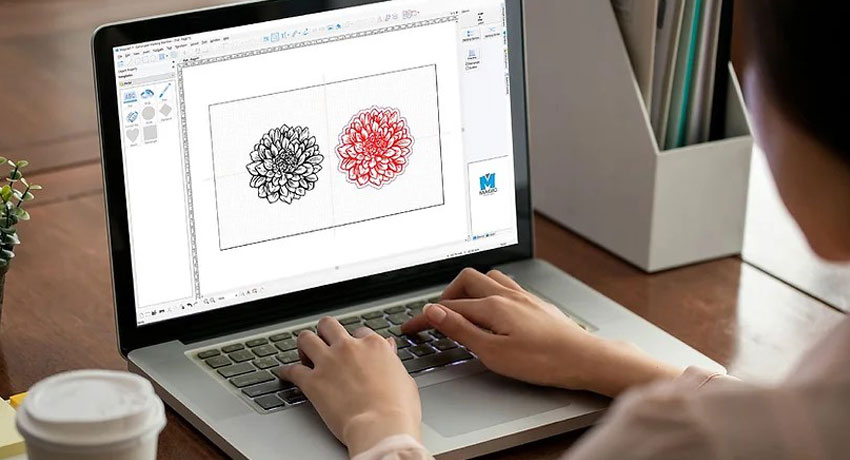
MagicEngrave software brings new features and a renewed interface to manage Magic CNC machines. We are happy to announce that MagicEngrave, the new software for Magic CNC machines, is now available to everyone. This software, launched last October, has already been included in the new camera-based engraving machines. 

MagicEngrave is based on MagicArt 7 for Laser and will be the basis for future developments. MagicArt 5 will no longer receive updates. The new software offers many improvements and features. It is compatible not only with the latest Magic machine series (3, 4 and 7), but also with the newest models such as Magic 1S, Magic 2S, Magic 5S, Magic 20, Magic 30, Magic 50, Magic 70, Magic F30P and Magic F300P. 

The MagicEngrave interface has been updated, but it retains the main features of MagicArt 5, making the transition easy for old users. New features include: 

  • New shapes in tag marking templates.
  • Offset function for vector geometry.
  • Table creation function to draw tags directly in the software.
  • Bridging function for cutting from a plate, to avoid movement of the cut part.
  • Improved photo engraving (still being improved). 

MagicEngrave also allows automatic software updates, like smartphone apps. Once activated, this feature will automatically update the software. 

The MagicEngrave software is free and can be installed without removing MagicArt 5, as they are two different software. To download the latest version, send an email to [email protected]. 

Technical support for MagicEngrave is not free and is reserved for those who have purchased the advanced support service. Contact us for more information. Training courses on this version are also reserved for those who have advanced support. Developers will continue to improve MagicEngrave. With Advanced Support, you can save time and get the most out of updates and new features.
Read more articles

Newer
New MAGIC Tablet Software
Older
Duets by GEMINI engraving materials
  • Log in to post comments
1
min read
A- A+
  • facebook-f
  • twitter
  • envelope
  • print

Let's Work Together

Information Request

Please describe your needs clearly and we will respond as quickly as possible. We take great care to provide professional responses, so please only submit your inquiry if you have time to read the response and acknowledge receipt.

For prices, please do not send inquiries and visit shop.pcube.it directly.

Contatto
Briefly write the reason for your request
Please write in detail your request
My budget is Euro
Your budget is our of range?

If your budget is higher than the maximum that can be indicated, move the slider all the way to the right.

If it is lower than the minimum, move the slider all the way to the left.

Discover the terms of service
By sending the information request I agree to be contacted by a PCube sales representative and I agree to the possible subscription to the PCube Newsletter.
PRIVACY POLICY

Need more information?

Tell us your needs and one of our experts will respond promptly.

Contact us now

We can arrange a demo for you, even remotely!

Home
PCube Srl
Engraving machines, high-resolution 3D printers and CNC machines.

Call us: +39 041 8633009

  • instagram
  • facebook-f
  • twitter
  • linkedin-in

Products

  • Engraving Machines
  • Engraving and Milling
  • Laser Engraving Machines
  • Others

Services

  • Comissioning
  • Training
  • Technical Support
  • Advanced technical support

Company

  • About Us
  • Contact Us
  • Customers
Copyright ©, PCube Srl, 2026

Footer menu

  • Privacy
  • Terms and conditions
  • Contact
Home
PCube Srl
Engraving machines, high-resolution 3D printers and CNC machines.
  • Home
  • Technologies
    • Engraving Machines
      • Magic 1S
      • Magic 2S
      • Magic 5S
      • Magic S3
      • Magic S4
      • Magic S7
      • MPX-90s
    • Engraving and Milling Machines
      • Magic E3
      • Magic E4
      • Magic E7
      • IMP C1
    • Laser Engraving Machines
      • Magic L2
      • Magic L3
      • Magic L3 Prime
      • Magic JANUS
      • FMC 280-Q
      • GCC E200SM
      • SPIRIT PRO
    • Mini Milling Machines
      • Roland SRM-20
      • Roland MDX-50
    • Dot Peen Machines
      • MNSB-53
      • MNSB-155
      • MNSBTC-103
      • IMP D3000
    • Engraving Materials
    • Second hand machines
  • Applications
  • Services
    • Commissioning
    • Training
    • Technical Support
      • Advanced technical support
    • Magic Software Download
  • About
    • Why PCUBE
    • Blog
    • Referral Program
    • Contact
    • Financing & Payment Plans
      • Grenke Operating Lease
      • Pay Later with PayPal
  • Shop
Clear keys input element